
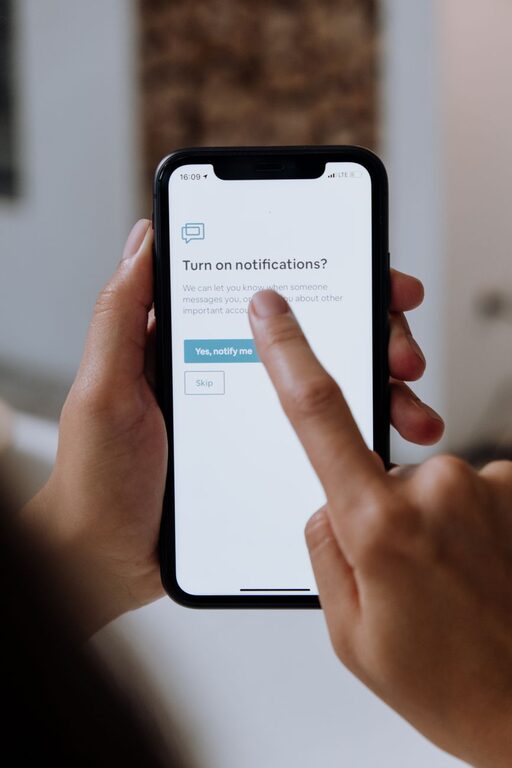
In today’s digital world, notifications pop up constantly on our phones, tablets, and computers. While they keep us connected and informed, they can also become overwhelming and distracting. Setting clear boundaries with notifications is essential for maintaining focus, reducing stress, and improving overall well-being. This guide offers practical tips to help you manage your notifications effectively without missing important updates.
Why Setting Boundaries with Notifications Matters
Notifications demand our immediate attention, often pulling us away from tasks and disrupting our concentration. Constant interruptions can reduce productivity, increase stress, and negatively impact mental health. By setting boundaries, you create a healthier relationship with technology and take control of your time.
Assess Your Current Notification Habits
Before making changes, it’s helpful to understand your current notification patterns:
– Identify the sources: List the apps, email accounts, and devices sending you the most notifications.
– Note the frequency: Are you receiving alerts every few minutes, or only occasionally?
– Recognize the impact: Consider how these notifications affect your focus, mood, and task completion.
Knowing your starting point helps you tailor your notification boundaries effectively.
Practical Tips for Setting Notification Boundaries
1. Customize Notification Settings for Each App
Most apps allow you to adjust what types of notifications you receive. Explore settings to:
– Turn off non-essential alerts (e.g., promotional messages, social media likes).
– Choose silent or less intrusive notification styles.
– Set priorities, so only critical notifications come through immediately.
2. Use Do Not Disturb and Focus Modes
Modern devices offer built-in modes designed to minimize distractions:
– Do Not Disturb (DND): Temporarily silence notifications during meetings, focused work, or personal time.
– Focus Modes: Some smartphones allow you to customize profiles, blocking certain notifications while allowing others (like calls from family).
Set schedules for these modes to automatically activate during key periods.
3. Set Specific Times to Check Notifications
Instead of responding to alerts as they arrive, designate times during the day to review messages and notifications. For example:
– Check emails three times daily: morning, noon, and late afternoon.
– Schedule social media browsing for breaks or after work.
Batch processing notifications helps maintain deeper focus.
4. Group Notifications Together
Many devices allow you to group notifications by app or type. Grouping reduces clutter and helps you review related alerts efficiently rather than being interrupted repeatedly.
5. Use Visual and Sound Cues Wisely
Disable or customize notification sounds and vibrations to avoid startling interruptions. Consider:
– Turning off sounds for less important apps.
– Using subtle visual indicators like badges or banners.
This reduces the chance of being distracted by minor alerts.
6. Unsubscribe and Clean Up Regularly
Review newsletters, promotional emails, or app notifications that you no longer find valuable. Unsubscribing or turning off these alerts can significantly reduce overall noise.
7. Communicate Your Notification Preferences
Inform colleagues, friends, and family about your availability and preferred ways to reach you during focused times. Setting expectations helps reduce pressure to respond immediately.
Additional Tools to Manage Notifications
There are apps and software designed to help control notification overload:
– Notification managers: Apps that allow you to schedule notification delivery or filter alerts.
– Productivity tools: Platforms like focus timers with notification blocking features.
– Email filtering: Use rules and folders to sort incoming messages based on priority.
Explore options that fit your workflow.
Benefits of Setting Boundaries with Notifications
By managing notifications intentionally, you can expect:
– Improved concentration and productivity.
– Reduced stress and digital fatigue.
– Better time management and work-life balance.
– Greater control over your digital environment.
Summary
Notifications are a valuable communication tool, but without limits, they can hinder more than help. Setting boundaries involves customizing settings, scheduling notification checks, and creating an environment that prioritizes your focus and well-being. Start by assessing your current habits and apply these tips gradually to find what works best for you. With intentional steps, you can enjoy the benefits of connectivity without constant interruptions.
About the Author